AI Render for rapid ideation & style exploration
Speed up your design process and impress your clients even in the early stages of the project.
Create stunning visuals in a variety of styles - without wasting time.
Mediterranean? Japandi? Minimalist? Art Deco?
You decide.
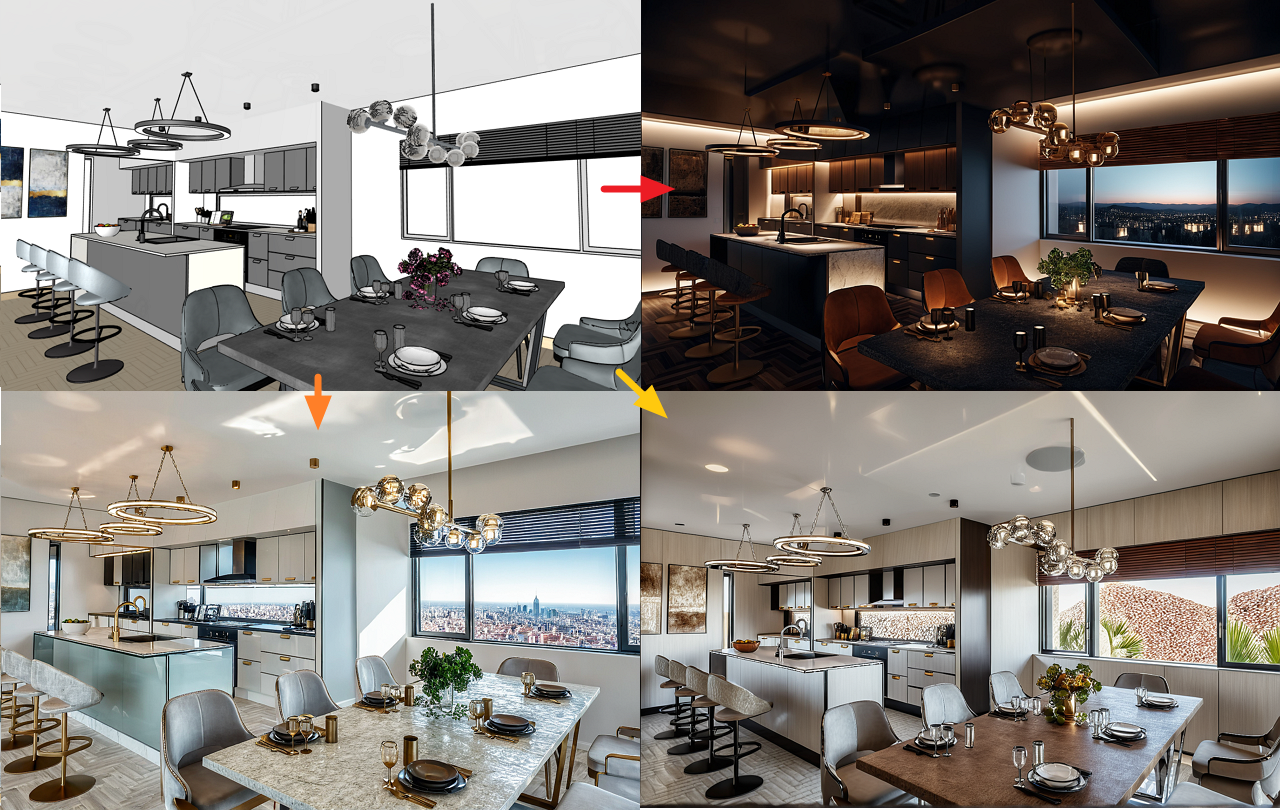
Upload a 3D view, choose the scene type and style, describe what you want, and generate inspirations in minutes. AI Render runs on a simple credit model (one image = one credit; packs available) and is great for mood boards, stylistic alternatives, and early decision-making
Download it, review it, get inspired, and move forward with your design.
It’s that simple.
What type of AI Renders can be created in ARCHLine.XP?
- Exterior: Render or redesign your exterior designs in seconds. Learn more here.
- Interior: Create stunning interior renderings of any room. Learn more here.
-
Virtual staging: Reimagine your home with AI-powered Virtual Staging. Learn more here.
How to use it?
Location: Ribbon bar > View > Rendering > AI Rendering
Upload a 3D view, select the scene type and style, and describe what you want to see!
The AI prompt is used to help the AI understand more precisely what we expect from it.
Then click the Render button and the answer will come very quickly in the form of an image!
You can save the image to your own computer with the download button.
It's worth reviewing it, perhaps regenerating it with a more precise AI prompt and using the inspirations you receive in your design.
It's that simple.
Credit packs
AI render works on a credit basis. One image = one credit.
Credits can be purchased in packs of 50.
Where can I buy a credit pack?
On the website https://www.archlinexp.com/buy/ai-render
Where can I see how many credits I have?
After logging in as a user, go to
https://www.archlinexp.com/aicredits.
Here you can see how many credits you have purchased and how many credits you still have that you can use.
Furthermore, when running ARCHLine.XP, you can see the number of usable credits on the right side of the AI render dialog.
Note: AI Render tool is available in ARCHLine,xP 2025 Professional and Interior version only.
Which ARCHLine.XP version can be used with?
ARCHLine.XP 2025 latest June update or later is required.
Klaudia Aranyi's presentation on the use of AI Render
Example:
| Simple prompt: | Good prompt |
| Bakery interior. Daylight lights | Photorealistic interior of a modern bakery with bright daytime lighting. A pedestrian street is visible through the large shop window, with people walking and buildings in the background. The walls are covered with white subway tiles, and above them the wall is painted white. The floor has a very light greyish beige tile surface. The ceiling is graphite grey plasterboard, adding a bold contrast. Softened orange tones appear on the architectural arches and a matching bench, which features a subtle wood grain texture. A decorative cushion with a modern Nyírség-style pattern rests on the bench. Behind the bench, the wall is finished with vertically slatted wooden panels, adding warmth and depth. A TV monitor displaying a bakery-themed photo is mounted on the panel. Above the service counter, orange metal pendant lights with dome-shaped shades hang down, echoing the color palette. The front of the counter prominently displays the "Vela Bisztró" logo. Next to a structural column, display racks hold fresh baked goods in natural rattan baskets. A graphite grey bouclé rug adds texture to the floor. Between two windows, a glass display case showcases individual slices of cake, enhancing the inviting atmosphere. |
Comments
0 comments
Article is closed for comments.